Introduction
localhost is one of the most familiar terms in IT. QA engineers use it to run automated tests, verify local builds, and check test APIs. Developers rely on it for debugging, and DevOps engineers use it while setting up environments. At first glance, everything looks simple: you type localhost and reach your own machine.
However, behind this simplicity there are important details. Why does a service work without internet access? Why does localhost sometimes fail while 127.0.0.1 works? Why do tests break only in CI or inside Docker?
To answer these questions, you need to understand what localhost actually is and how it works under the hood.
Localhost Is Not a Network
The most important thing to understand is this – "localhost always exists".
It does not depend on Wi-Fi, Ethernet, VPNs, or even physical network adapters.
Even if you disconnect all network interfaces or enable airplane mode, localhost will still work.
This is because localhost is not a real network connection. When an application sends a request to localhost, the operating system does not try to send packets outside. Everything happens inside the OS itself.
This behavior is implemented using a special mechanism called *loopback*.
Why It Is Called Loopback
The term *loopback* describes exactly what happens.
In a normal network request, data goes from the application through a network interface, routers, and finally to another machine. With localhost, this path is closed into a loop inside the operating system kernel.
The request is sent, recognized as a loopback request, and immediately returned back to the same machine without touching any physical network hardware.
On Linux and macOS, this mechanism is visible as a virtual interface called lo. On Windows, it is hidden, but the behavior is the same. The loopback interface is created by the OS kernel during system startup and does not depend on drivers or network cards.
For QA engineers, this means a clean and predictable environment. You are testing application logic, not network reliability.
Localhost, 127.0.0.1, and ::1: Where Problems Start
This is where many subtle bugs appear.
localhost is a hostname.
127.0.0.1 is an IPv4 loopback address.
::1 is the IPv6 loopback address.
When you use 127.0.0.1, you explicitly specify the address. When you use localhost, the system must resolve this name into an IP address first.
On modern operating systems, localhost is often resolved to IPv6 (::1) by default. This can easily cause unexpected issues.
A common real-world scenario looks like this: the backend service listens only on 127.0.0.1, while the client or automated test connects to localhost. The OS resolves localhost to ::1, and the connection fails even though the service is running.
These issues often appear in CI pipelines, containerized environments, or after OS updates. That is why many teams prefer to use 127.0.0.1 explicitly in test and infrastructure configurations. It removes ambiguity between IPv4 and IPv6.
Ports: Why Localhost Alone Is Not Enough
localhost is only an address. To reach a specific service, you always need a port, such as localhost:3000 or 127.0.0.1:8080.
Port-related issues are extremely common. A service may fail to start because the port is already in use, or tests may expect one port while the application listens on another. In many cases, when something "does not work on localhost", the real problem is simply a port conflict.
Understanding this helps QA engineers troubleshoot issues much faster.
The Hosts File: Local Truth Before DNS
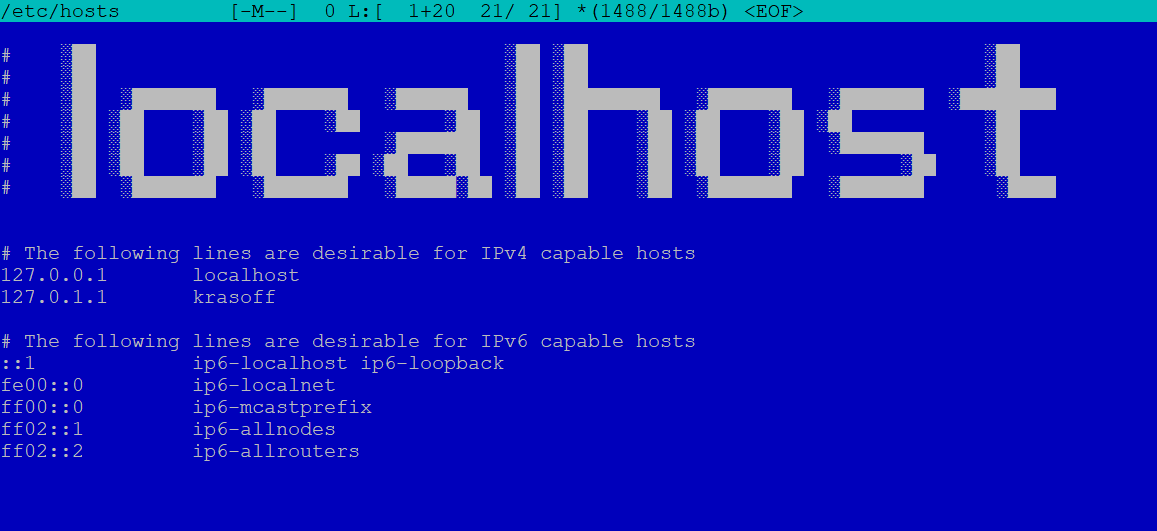
The hosts file is a local mapping between hostnames and IP addresses, and it has priority over DNS.
This is where localhost is usually mapped to 127.0.0.1 and ::1.
For testing, the hosts file can be very powerful. It allows you to simulate real domains on a local machine, test cookies and redirects, and isolate external dependencies without changing application code.
At the same time, it affects the entire system. Forgotten or incorrect entries can lead to strange and hard-to-reproduce bugs, especially when tests behave differently on different machines or in CI.
When something breaks "for no reason", checking the hosts file is often a good idea.
What about 0.0.0.0?
0.0.0.0 is not localhost and not loopback.
When a service listens on 0.0.0.0, it accepts connections on all network interfaces. This makes the service accessible not only from the local machine but also from other devices in the same network.
This is useful for testing from a phone or another computer, but it is very different from the isolation provided by 127.0.0.1.
From a QA perspective, the distinction is important. 127.0.0.1 means "only this machine", while 0.0.0.0 means "potentially the whole network".
Localhost in Modern QA Practice
Today, localhost is the foundation of local development and testing. Automated tests run against local APIs, frontend applications communicate with local backends, and containers expose services through localhost ports.
At the same time, modern setups add new complexity. Localhost inside a Docker container is not the same as localhost on the host machine. Browser behavior on localhost may differ from production when HTTPS, cookies, or CORS are involved.
Understanding where a request actually goes and which service handles it helps QA engineers avoid hours of debugging and reduces the number of "mysterious" test failures.
Conclusion
Localhost is not just a convenient development shortcut. It is a core operating system mechanism that works independently of physical networks and relies on the loopback interface built into the OS kernel.
The differences between localhost, 127.0.0.1, ::1, and 0.0.0.0 become critical in testing, where predictability and repeatability matter most.
For QA engineers, this knowledge is not theoretical. It is a practical tool that helps keep focus on product quality instead of fighting infrastructure issues.