If your Linux servers still rely on passwords-or even SSH keys-alone, it's time to rethink your authentication posture. Credentials get leaked. Keys get stolen. Static secrets alone are no longer enough.
One of the simplest yet most effective mitigations is enabling TOTP-based two-factor authentication (2FA) for SSH. It adds a time-bound, device-bound second factor: a 6-digit code that changes every 30 seconds. Even if an attacker obtains your password or private key, they still need physical access to your enrolled device.
Here's how to enable it on modern Ubuntu (20.04+) and Debian (11+).
Step-by-step setup
1. Install the PAM module.
Despite the name, it works with any TOTP app-Google Authenticator, Authy, Microsoft Authenticator, Raivo, etc.
sudo apt update && sudo apt install libpam-google-authenticator -y2. Enable TOTP in PAM
Edit /etc/pam.d/sshd and add this line at the top. Placing it first ensures 2FA is enforced before any fallback methods.
auth required pam_google_authenticator.so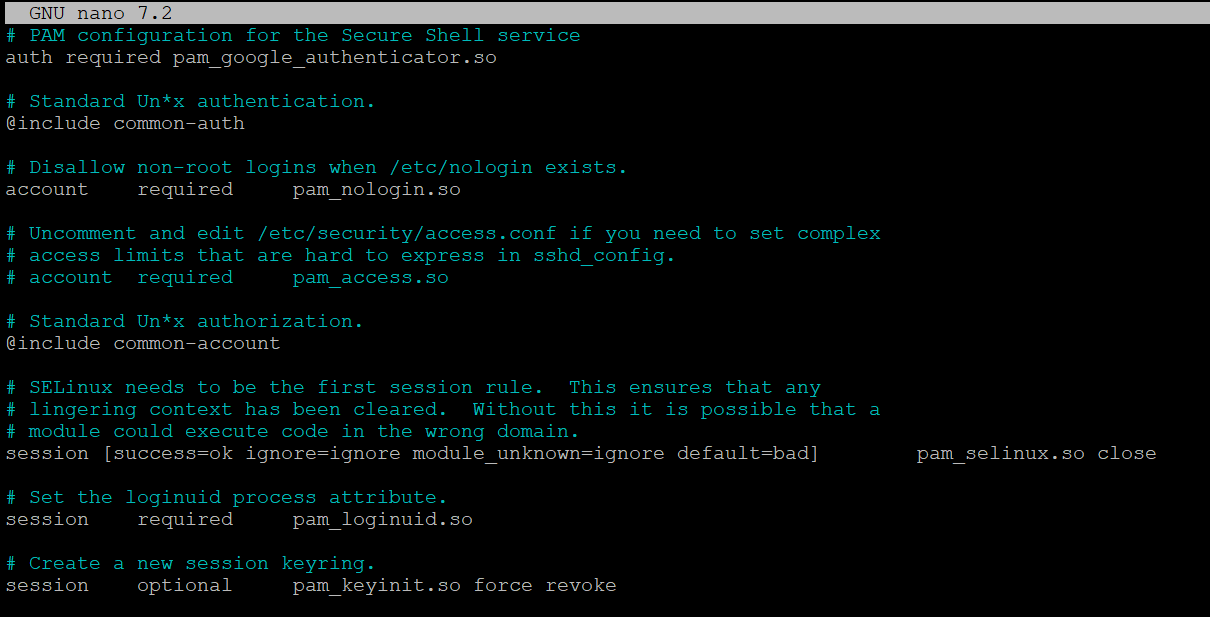
3. Allow interactive prompts in /etc/ssh/sshd_config, set:
KbdInteractiveAuthentication yes
UsePAM yes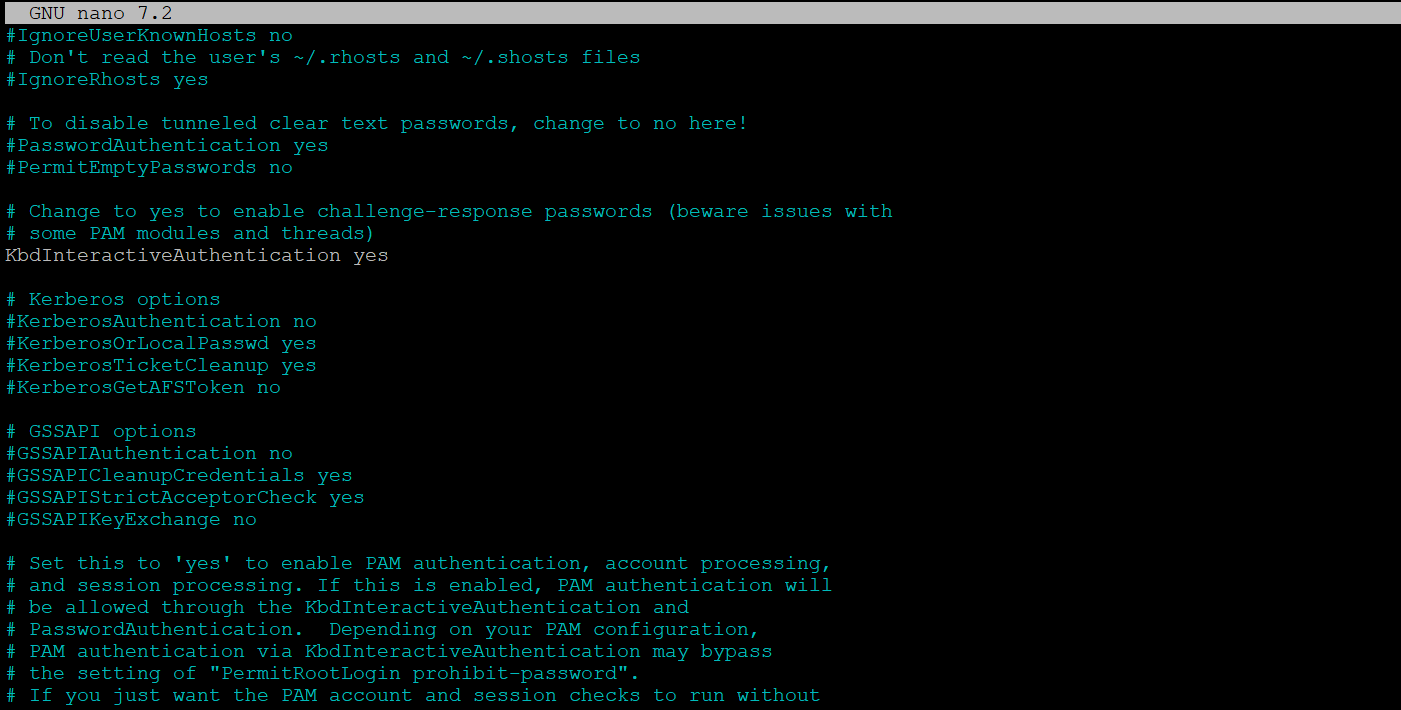
4. Restart SSH
sudo systemctl restart ssh5. Enroll your user
Run as the target user (e.g., not as root unless needed):
google-authenticator- Choose time-based tokens (
y). - Update the config file (
y). - Disallow token reuse (
y) – prevents replay. - Keep the default time window (
n) – wider windows weaken security. - Enable rate-limiting (
y) – blocks rapid retry attempts.
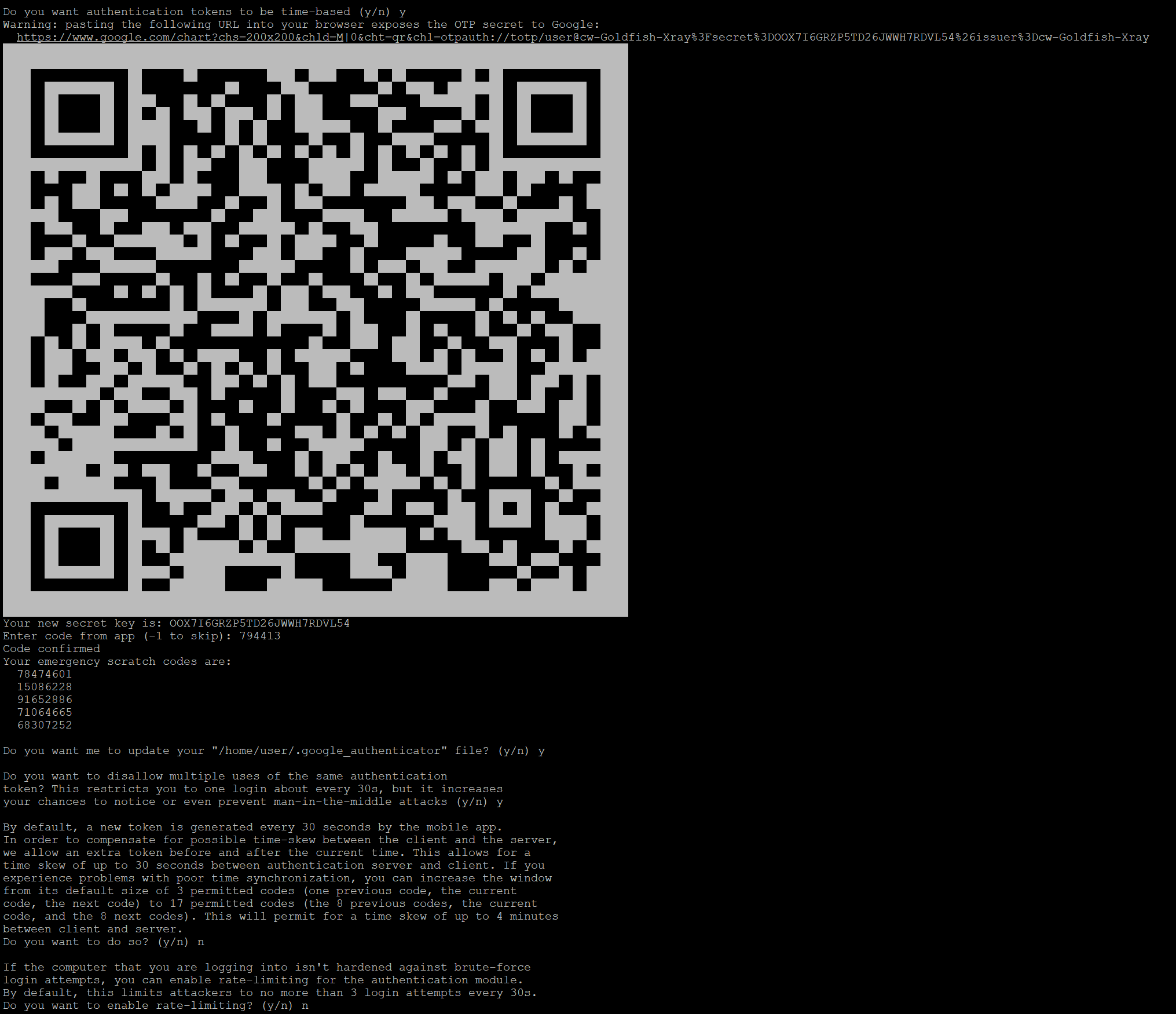
Do you want authentication tokens to be time-based (y/n) y
Warning: pasting the following URL into your browser exposes the OTP secret to Google:
  https://www.google.com/chart?chs=200x200&chld=M|0&cht=qr&chl=otpauth://totp/user@cw-Goldfish-Xray%3Fsecret%3DOOX7I6GRZP5TD26JWWH7RDVL54%26issuer%3Dcw-Goldfish-Xray

...
...
...

Your new secret key is: OOX7I6GRZP5TD26JWWH7RDVL54
Enter code from app (-1 to skip): 794413
Code confirmed
Your emergency scratch codes are:
  78474601
  15086228
  91652886
  71064665
  68307252

Do you want me to update your "/home/user/.google_authenticator" file? (y/n) y

Do you want to disallow multiple uses of the same authentication
token? This restricts you to one login about every 30s, but it increases
your chances to notice or even prevent man-in-the-middle attacks (y/n) y

By default, a new token is generated every 30 seconds by the mobile app.
In order to compensate for possible time-skew between the client and the server,
we allow an extra token before and after the current time. This allows for a
time skew of up to 30 seconds between authentication server and client. If you
experience problems with poor time synchronization, you can increase the window
from its default size of 3 permitted codes (one previous code, the current
code, the next code) to 17 permitted codes (the 8 previous codes, the current
code, and the 8 next codes). This will permit for a time skew of up to 4 minutes
between client and server.
Do you want to do so? (y/n) n

If the computer that you are logging into isn't hardened against brute-force
login attempts, you can enable rate-limiting for the authentication module.
By default, this limits attackers to no more than 3 login attempts every 30s.
Do you want to enable rate-limiting? (y/n) n
Scan the QR code with your authenticator app and save the emergency codes offline. You'll need them if your device is lost.
6. Test from a new terminal:
ssh user@serverAfter your password (or key passphrase), you'll be prompted for a verification code. Input is silent (no asterisks) by design.
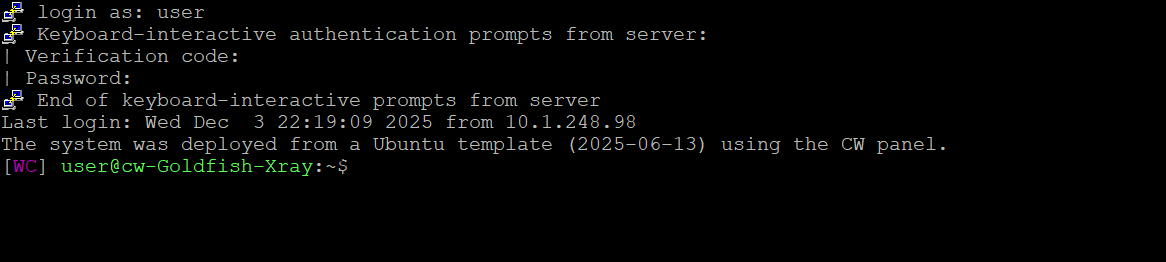
login as: user
Keyboard-interactive authentication prompts from server:
| Verification code:
| Password:
End of keyboard-interactive prompts from server
Done. Your SSH now requires two factors.
Key considerations
- Works with SSH keys: If you use key-based login, SSH verifies the key first, then prompts for TOTP – giving you something you have (key) + something you have (phone). For true knowledge-based 2FA (e.g., password + TOTP), disable key authentication temporarily during setup.
- Per-user enrollment: Each user must run
google-authenticatorindividually. Secrets live in~/.google_authenticator. - Time matters: Ensure NTP is active (
timedatectl statusshould show NTP synchronized:yes). TOTP fails silently with clock skew. - Recovery: Emergency scratch codes bypass TOTP. Treat them like backup keys-store them securely, but accessibly.
TOTP 2FA for SSH is low-effort, high-impact. It defeats credential stuffing, mitigates leaked keys, and raises the cost of compromise dramatically-all without complex infrastructure.
And yes, you can go further (FIDO2 security keys, centralized auth with privacyIDEA, etc.). But if you haven't enabled TOTP yet-especially on internet-facing servers-it's the fastest security win you can ship today.