In most modern backend or server-side applications used in CI/CD workflows, notification mechanisms are already built in: email alerts, Slack integrations, and a long list of exotic plugins and extensions.
But what if you're running a custom script, a cron job, or a bare-metal service – and just want to get notified without standing up a whole monitoring stack?
This is where Telegram becomes surprisingly effective. Telegram Bot API: a dead-simple, cross-platform, well-documented REST interface. No SDKs required. With the Telegram Bot API, it took me no more than five minutes to deliver a message straight into my messenger. It's cheap, platform-agnostic, and clearly designed with the intention that absolutely everyone should be using it.
For many engineering roles – QA monitoring test environments, DevOps automating CI pipelines, SRE teams tracking incidents, or backend developers observing long-running jobs – such a lightweight alerting mechanism can be extremely useful.
The Foundation: A REST API That Just Works
The Telegram Bot API is a clean, well-documented, HTTP-based REST interface. No SDKs required (though they're available if you like).
In fact, to send your very first message to a chat, all you need is to execute a properly constructed URL – you can even open it in a regular browser.
Here is what such a URL looks like:
https://api.telegram.org/bot8527902229:AAFebAh500qPp6QH4ssVnQ4R5oX4CvGyzog/sendMessage?chat_id=8398278220&text=Hello+World!Creating Your Bot with @BotFather
To register your own bot, you'll need assistance from Telegram's official bot – BotFather:
BotFather will ask you to provide:
name– the display name shown in contact listsusername– the unique handle used in links and search
You'll later be able to modify the bot's settings through the same BotFather interface.
Treat your notification bot like a service account-name it deliberately (e.g., alerts_prod_bot, ci_status_bot), and keep its token under strict access control (think: environment variables, Vault, or KMS-not git).
Open a chat with BotFather, press Start, and run: /newbot
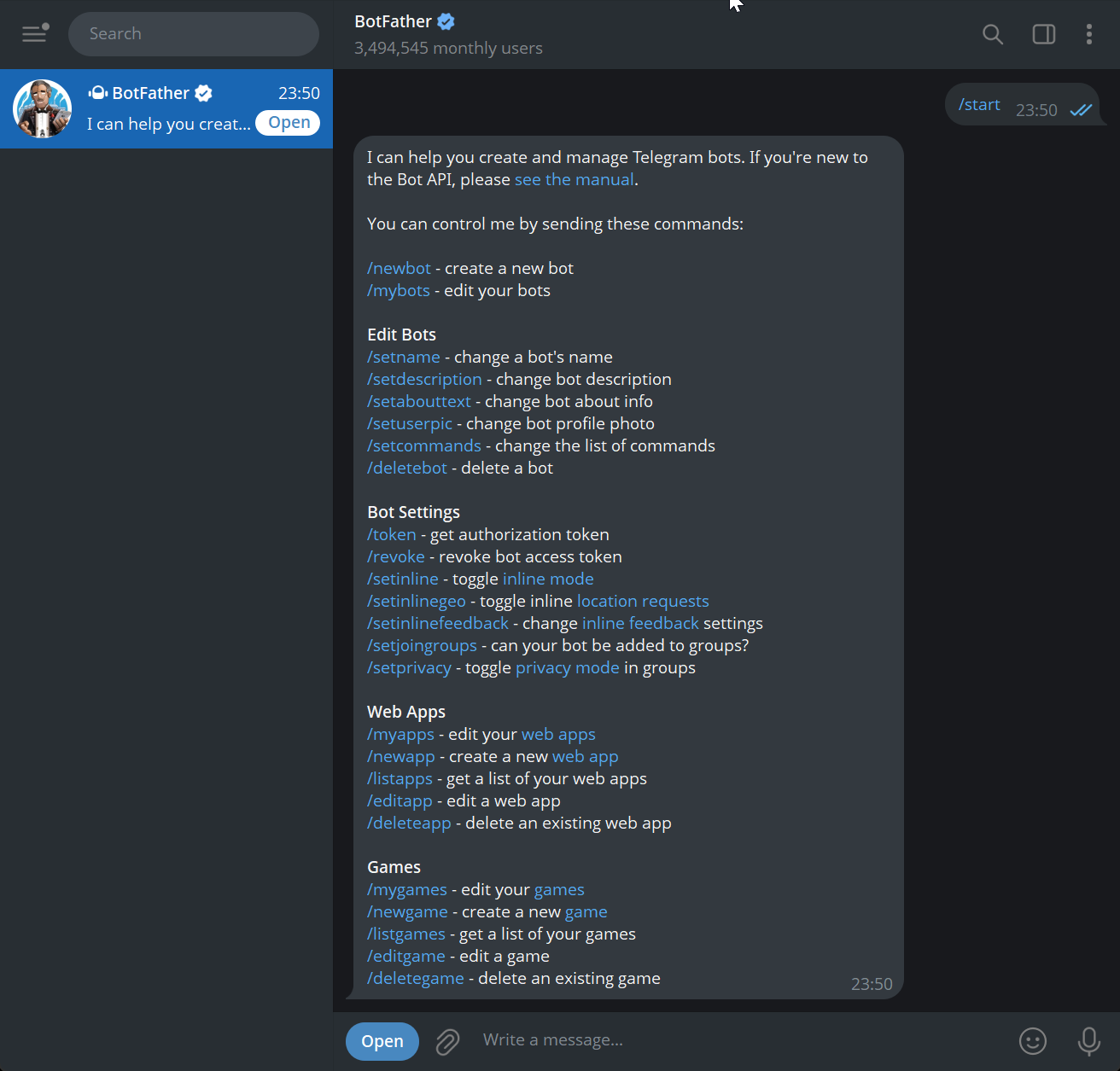
If the chosen name or username is invalid or already taken, Telegram will notify you:
Sorry, this username is invalid.Sorry, this username is already taken. Please try something different.After a successful registration, you'll receive a message like this:
Done! Congratulations on your new bot. You will find it at t.me/SimpleHelp_bot. You can now add a description, about section and profile picture for your bot, see /help for a list of commands. By the way, when you've finished creating your cool bot, ping our Bot Support if you want a better username for it. Just make sure the bot is fully operational before you do this.

Use this token to access the HTTP API:
8527902229:AAFebAh500qPp6QH4ssVnQ4R5oX4CvGyzog
Keep your token secure and store it safely, it can be used by anyone to control your bot.

For a description of the Bot API, see this page: https://core.telegram.org/bots/api
The key part for us is the bot token: 8527902229:AAFebAh500qPp6QH4ssVnQ4R5oX4CvGyzog
Extracting Your Chat ID
Even though the bot doesn't do anything yet, it is already searchable and can be added to chats.
Add the bot to your Telegram contacts. The simplest way is by opening: https://t.me/SimpleHelp_bot
Send any message to the bot.
In a browser, open the following link to read the bot's updates, replacing %TOKEN% with your token:
https://api.telegram.org/bot8527902229:AAFebAh500qPp6QH4ssVnQ4R5oX4CvGyzog/getUpdatesYou'll receive a JSON payload containing data about the latest message:
{
  "ok": true,
  "result": [
    {
      "update_id": 648879106,
      "message": {
        "message_id": 2,
        "from": {
          "id": 8398278220,
          "is_bot": false,
          "first_name": "Alex",
          "last_name": "Krasov",
          "language_code": "en"
        },
        "chat": {
          "id": 8398278220,
          "first_name": "Alex",
          "last_name": "Krasov",
          "type": "private"
        },
        "date": 1764835729,
        "text": "test"
      }
    }
  ]
}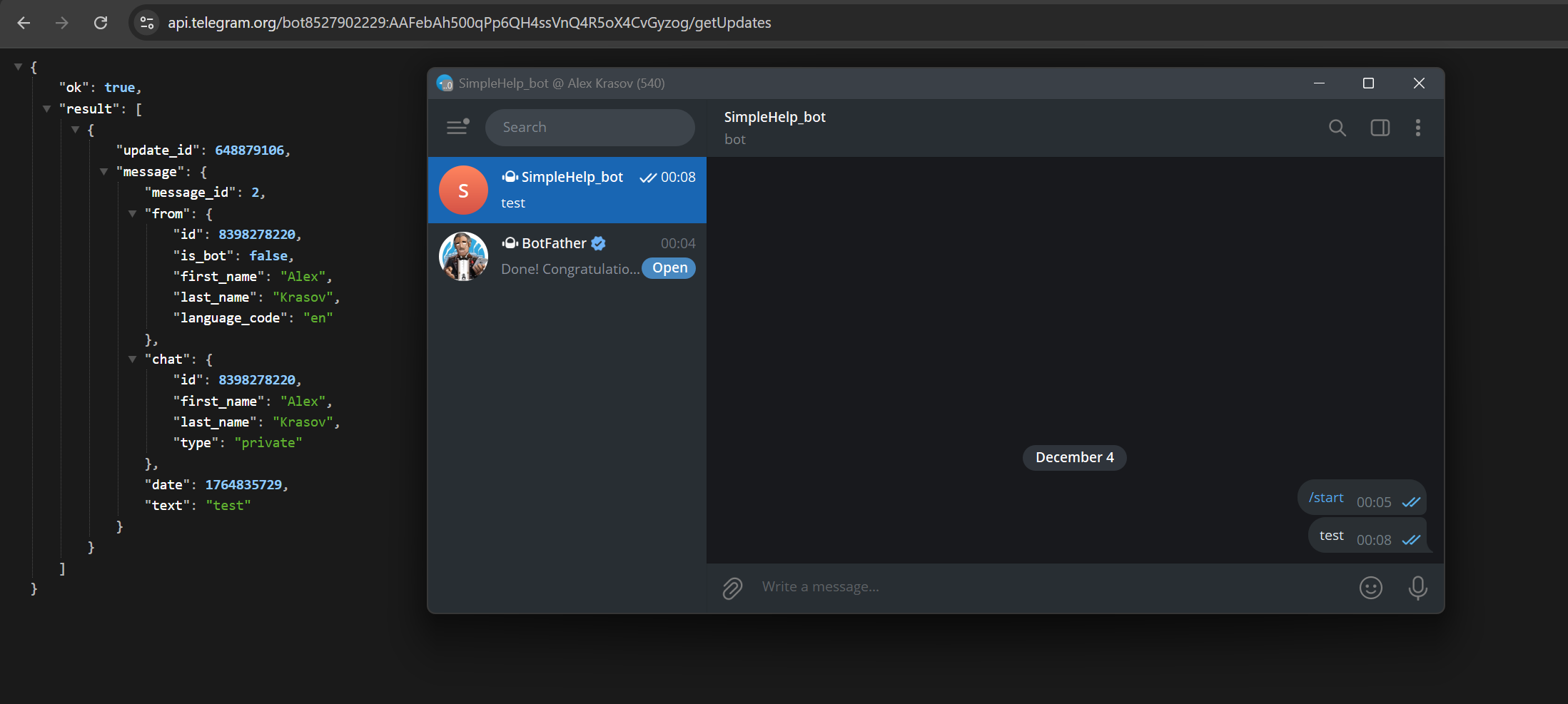
The value you need is result[0].message.chat.id → 8398278220. Now the bot has everything required to send messages to your chat.
"Hello, World!" – From Shell to Service
The simplest way to send a message is by performing a GET request.
The URL is structured as follows:
https://api.telegram.org/bot%TOKEN%/sendMessage?chat_id=%CHATID%&text=%TEXT%!According to the official API documentation https://core.telegram.org/bots/api#available-methods, you can pass far more parameters – formatting options, attachments, files, and more.
If a plain GET request is insufficient, you can switch to POST.
Below is an example of a minimal Python script that sends a Markdown-formatted message via POST:
#!/usr/bin/env python3
import argparse
import requests

TG_KEY = "1234567890:ABCDEF-your-telegram-bot-token"
CHAT_ID = "987654321"

def main():
    parser = argparse.ArgumentParser(description="Send Telegram message")
    parser.add_argument("--msg", required=True, help="Message text to send")
    args = parser.parse_args()

    url = f"https://api.telegram.org/bot{TG_KEY}/sendMessage"

    payload = {
        "chat_id": CHAT_ID,
        "parse_mode": "Markdown",
        "disable_web_page_preview": True,
        "text": args.msg
    }

    try:
        r = requests.post(url, data=payload, timeout=10)
        r.raise_for_status()
        print("Message sent successfully.")
    except requests.RequestException as e:
        print("Failed to send message:", e)
        print("Response:", getattr(e.response, "text", None))


if __name__ == "__main__":
    main()
Usage:
./tg.py --msg "Service `auth-api` returned 5xx for 3 consecutive probes"Simplicity with Reach
Telegram Bot API provides an exceptionally straightforward way to deliver alerts and service messages from virtually any environment – CI pipelines, cron jobs, monitoring scripts, backend workers, or QA test harnesses.
With a single HTTP request or a few lines of code, you can build a practical, lightweight notification channel that works reliably across all platforms.
For DevOps, SRE, backend engineers, and QA teams, this is an elegant tool worth keeping in your everyday toolbox – especially when you need an instant, minimal-overhead way to know what your systems are doing.
In a world of ever-growing complexity, sometimes the best engineering choice is the one that gets out of your way-and delivers the right signal to the right person, right now.
Give it a try. The next alert arrives immediately.