Wireshark is one of the most essential tools for network engineers, security analysts, and system integrators. Its power comes from the ability to apply precise display filters that cut through noisy traffic and let you focus on exactly what matters.
Below is a curated list of the most commonly used Wireshark filters, ranked by real-world frequency and usefulness, not just theory. Along the way, you’ll see concrete scenarios such as:
- Finding the IP address of a newly connected device (camera, printer, sensor)
- Tracing client → server communication end-to-end
- Inspecting how a VMS auto-discovers IP cameras via multicast
- Identifying devices by DHCP or ARP announcements
- Checking communication by protocol, port, MAC, or broadcast patterns
IP Address Filters (Most Common in Practice)
Basic IP filter
Shows all packets where this IP is either source or destination.
ip.addr == 192.168.1.50Conversation between two hosts
ip.addr == 192.168.1.50 && ip.addr == 192.168.1.100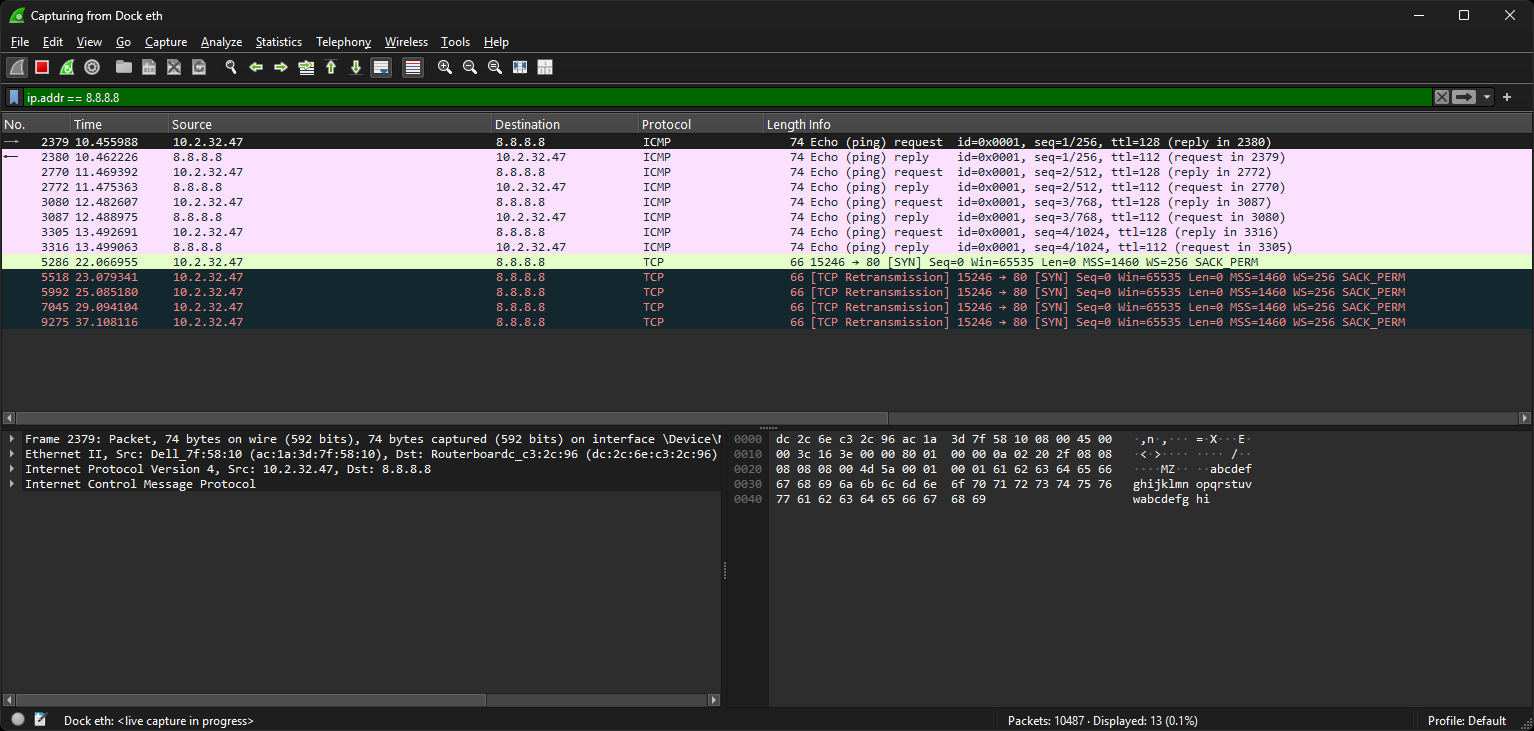
Port-Based Filters (TCP/UDP)
Ports are often more reliable than IP filtering when the target IP is unknown or dynamic.
Single port (any direction)
tcp.port == 443
udp.port == 53
MAC Address Filters (L2 Debugging)
Useful when IP of a device is unknown or when analyzing switch-level communication.
Filter by MAC
eth.addr == aa:bb:cc:dd:ee:ffStart capturing and filter by the vendor prefix
eth.addr[0:3] == 00:1A:E8   # Hikvision
eth.addr[0:3] == 3C:5A:B4   # HP printers
DHCP/BOOTP Filters (New Device Discovery)
If a device is new, factory-reset, or unknown, it likely sends a DHCP Discover.
Show all DHCP traffic
bootpOnly DHCP Discover
bootp.option.dhcp == 1Only DHCP Request
bootp.option.dhcp == 3Find the IP of a new camera/printer
bootp || arpARP Filters (Local Network Discovery)
Devices often announce themselves even when static IP is configured.
Show ARP only
arp
Protocol Filters (HTTP, DNS, TFTP, RTSP, ONVIF, etc.)
Protocol-only filters
http
dns
ftp
tftp
rtsp
onvif
Multicast filter
(eth.dst[0] & 1)HTTP/HTTPS Inspection
HTTP GET only
http.request.method == "GET"Filter by host
http.host == "example.com"Partial match (recommended)
http.host contains "example"Broadcast and Multicast Filters
Useful for diagnosing service discovery, VMS auto-discovery, mDNS, SSDP, ONVIF, etc.
Broadcast
eth.dst == ff:ff:ff:ff:ff:ffMulticast
(eth.dst[0] & 1)Exclude broadcast from multicast
(eth.dst[0] & 1) && !(eth.dst == ff:ff:ff:ff:ff:ff)Watch how a VMS discovers IP cameras
udp.port == 3702 || (eth.dst[0] & 1)Combine Filters for Powerful Searches
Logical AND
ip.addr == 192.168.1.100 && tcp.port == 443Logical OR
http || dnsNOT / Exclusion
!arp